
QuickBooks Check Printing
QuickBooks Check Printing lets businesses create, print, and manage professional checks using information from QuickBooks. FiChecks gives businesses a practical way to print checks from QuickBooks, use compatible blank check stock, and manage check delivery without changing their existing accounting workflow.
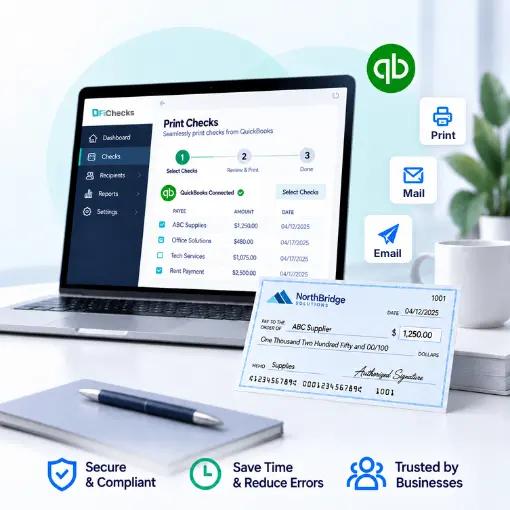
QuickBooks Payment Import
Professional Check Printing
Secure Check Delivery
Web & Mobile App
WHERE CHECK PRINTING BECOMES A HASSLE
Printing Business Checks Should Not Take Extra Work
Businesses still rely on checks for vendors, contractors, employees, refunds, and other payments. Moving check details between accounting software and separate printing processes can create extra steps and increase the chance of errors.
No. 1
Manual check entry
Re-entering names, amounts, and payment details before printing checks takes time and can lead to avoidable mistakes.
No. 2
Check printing from different systems
Switching between accounting software, check templates, and printing tools makes a routine task harder to manage.
No. 3
Printing large batches
Writing or printing checks individually becomes inefficient when your business needs to process multiple vendor or payroll checks at once.
No. 4
Tracking printed checks
Without organized records, it can be difficult to confirm which checks were printed, mailed, emailed, or still need attention.
HOW FICHECKS WORKS
Create and Print Checks From QuickBooks
FiChecks gives you a straightforward workflow for bringing QuickBooks payment information into your check printing process.

Import
Bring relevant QuickBooks payment details into FiChecks for check creation and processing.

Review
Check payee information, amounts, account details, and other required fields before printing.

Create
Generate professional checks using your business and payment information.

Print checks using your existing printer and compatible blank check stock.

Track
Keep access to check records and transaction details after the checks are created and printed.
EVERYTHING YOU NEED FOR CHECK PRINTING
Practical Tools for QuickBooks Check Printing
Built for businesses that want a simpler way to create professional checks while keeping their accounting workflow familiar.
QuickBooks Payment Import
Bring QuickBooks payment information into FiChecks without manually entering the same details again.
Printable Check Templates
Create professional checks using compatible blank check stock and your existing printer.
MICR-Compatible Checks
Print checks with MICR-compatible formatting for business payment requirements.
Vendor Payments
Prepare payments for vendors, suppliers, contractors, and other business recipients.
Payroll Payments
Create printed checks for employees when paper checks remain part of your payroll process.
Bulk Processing
Handle multiple checks in one workflow instead of creating and printing each payment individually.
BUILT FOR DIFFERENT BUSINESS NEEDS
Handle More Than One Type of Check
QuickBooks check printing can support routine business payments across different departments and workflows.
Print vendor checks from QuickBooks
Print payroll checks from QuickBooks
Print checks on blank check stock
Process multiple checks together
Mail checks
Keep check records organized
QuickBooks Check Printing Without Rebuilding Your Process
QuickBooks already handles your accounting records. FiChecks focuses on the check creation, printing, and delivery side of the workflow.
Use QuickBooks information for check processing
Print checks with your existing printer
Mail checks through FiChecks
Frequently Asked Questions
How can I print checks from QuickBooks?
FiChecks lets you import relevant QuickBooks payment information, review the details, create professional checks, and print them using your existing printer and compatible blank check stock.
Can I print QuickBooks checks on blank check stock?
Yes. FiChecks supports printing checks on compatible blank check stock, allowing businesses to use their existing printer for check creation instead of relying on preprinted forms.
Can I print vendor and payroll checks from QuickBooks?
Yes. FiChecks can be used to create and print checks for vendors, contractors, employees, and other business recipients based on the payment information you need to process.
QuickBooks Check Printing vs Traditional Check Workflows
Traditional check workflows often involve copying payment details from accounting software into a separate check template, entering information again, printing checks, and manually organizing records. With QuickBooks check printing through FiChecks, businesses can bring payment information into a dedicated check workflow, review the details, create professional checks, print them on compatible stock, and manage delivery from the same platform. This reduces repetitive data entry and gives teams a more organized way to handle routine check processing.