
QuickBooks Payment Processing
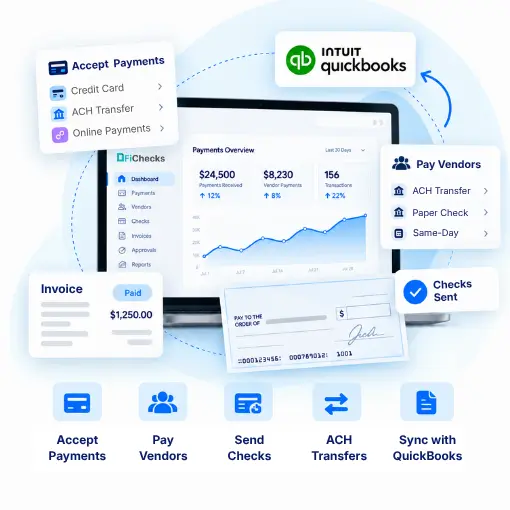
QuickBooks Payment Processing lets businesses manage vendor payments, bill payments, ACH transfers, checks, and other outgoing transactions while keeping payment records connected to their accounting workflows. FiChecks provides tools for sending payments, managing vendors, tracking transactions, and keeping payment activity organized.
ACH Payment Processing
Business Check Printing
Vendor Payment Management
Payment Reconciliation
WHERE PAYMENT WORKFLOWS SLOW YOU DOWN
Managing Business Payments Can Take More Time Than Expected
Businesses often handle payments across accounting software, bank portals, check printers, and separate payment tools. Moving between systems can make it harder to track what was paid, when it was sent, and which transactions still need attention.
No. 1
Vendor payment management
Paying multiple vendors manually can take time, especially when teams need to verify payment details, prepare payments, and keep records updated.
No. 2
Bills and accounts payable
Outstanding bills can require repeated follow-ups and manual data entry when payment activity is handled separately from accounting records.
No. 3
ACH and check payments
Businesses may need different payment methods for different vendors. Managing ACH transfers, checks, and other payment types through separate processes can create extra work.
No. 4
Payment tracking and reconciliation
When payment records are spread across different systems, matching transactions with accounting records can become difficult and time-consuming.
HOW FICHECKS WORKS
Payment Processing for QuickBooks Without the Extra Steps
FiChecks gives businesses a centralized way to create, send, and track payments while keeping accounting workflows organized.

Create
Enter vendor details, payment information, amount, and delivery method before processing.

Review
Check payment details and apply internal approval controls before a transaction is sent.

Send
Choose the payment method that fits the transaction, including ACH, checks, or digital payment options.

Track
Monitor payment status, transaction activity, and delivery information from one location.

Reconcile
Keep payment records organized so completed transactions are easier to review and match with accounting activity.
EVERYTHING BUSINESSES NEED
QuickBooks Payment Solutions for Everyday Business Payments
QuickBooks payment processing can support businesses that need a practical way to manage outgoing payments while keeping financial records organized.
QuickBooks Vendor Payments
Send payments to vendors and service providers while maintaining organized transaction records.
QuickBooks Bill Payment Processing
Manage business bills and outgoing payments without relying on disconnected payment workflows.
QuickBooks ACH Payments
Send electronic payments for vendors, contractors, suppliers, reimbursements, and other business obligations.
QuickBooks Check Payments
Create and print business checks using your existing printer and compatible check stock.
Automated Vendor Payments
Reduce repetitive payment tasks and manage recurring vendor obligations with more consistent workflows.
QuickBooks Payment Reconciliation
Keep payment activity organized for easier transaction review and accounting reconciliation.
BUILT FOR DIFFERENT BUSINESS PAYMENT NEEDS
Manage Payments Across Your Accounts Payable Workflow
QuickBooks payment processing can support businesses across different industries and payment scenarios.
Pay vendors and suppliers
Process business bills and invoices
Send ACH payments to vendors and contractors
Create and print business checks
Manage recurring vendor payments
Handle reimbursements and business disbursements
Track payment status and transaction history
Keep payment records organized for reconciliation
Keep Accounting at the Center of Your Payment Process
Businesses already use accounting software to manage bills, vendors, invoices, and financial records. FiChecks focuses on payment execution, giving teams tools to send and track payments without rebuilding their existing accounting workflows.
Supports multiple payment methods
ACH and check payment processing
Vendor payment management
Frequently Asked Questions
What is QuickBooks payment processing?
QuickBooks payment processing refers to managing business payments connected to QuickBooks accounting workflows. It can include vendor payments, bill payments, ACH transfers, checks, and payment tracking. FiChecks provides tools that help businesses create, send, and monitor these transactions while keeping payment activity organized.
How can I pay vendors through QuickBooks?
Businesses can manage vendor payments using ACH transfers, checks, and other available payment methods. FiChecks gives businesses a way to create and send payments, track transaction activity, and maintain organized payment records alongside their accounting workflow.
Can QuickBooks payment processing support ACH and check payments?
Yes. Businesses can use QuickBooks payment processing workflows for different payment methods, including ACH and checks. FiChecks supports ACH payments and business check creation and printing, giving businesses more flexibility when paying vendors, suppliers, contractors, and other recipients.
QuickBooks Payment Processing vs Manual Vendor Payments
Manual vendor payments often require businesses to enter payment details, prepare ACH transfers or checks, update accounting records, and track transactions across different tools. This can create extra data entry and make it harder to see which payments are pending or completed. QuickBooks payment processing keeps payment activity closer to the accounting workflow, while FiChecks provides tools to create, send, track, and manage vendor payments. Businesses can handle ACH and check payments through a more organized process while keeping payment records easier to review and reconcile.