
WooCommerce Payment Gateways
WooCommerce Payment Gateways to collect payments, manage orders, and handle money coming in and going out. FiChecks supports digital checks, ACH transfers, printed checks, mailed checks, and other payment workflows, helping store owners manage payment activity, keep records organized, and reduce manual work.
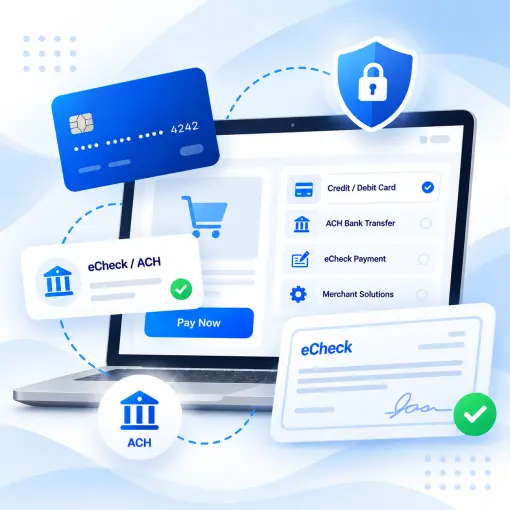
Flexible Payment Methods
Secure Payment Processing
ACH & eCheck Support
Web & Mobile Access
WHERE ONLINE PAYMENTS GET COMPLICATED
Running an Online Store Shouldn’t Mean Managing Payments All Day
Online stores deal with more than customer checkouts. Failed payments, refunds, supplier expenses, and scattered records can take time away from sales and customer service. The right payment setup helps store owners manage these tasks with less manual effort.
No. 1
Checkout and payment flexibility
Customers expect convenient ways to pay. Limited payment options can lead to abandoned carts and missed sales, especially when shoppers cannot use their preferred method.
No. 2
Refunds and outgoing payments
Processing refunds, paying suppliers, and handling business expenses through separate tools creates extra work and makes it harder to track where money goes.
No. 3
Payment records and reconciliation
When order details and payment records sit in different systems, matching transactions becomes time-consuming and increases the chance of errors.
No. 4
Growing payment costs and complexity
As order volumes increase, managing gateway fees, payment statuses, and multiple payment tools becomes harder to handle efficiently.
HOW FICHECKS WORKS
Manage Online Store Payments From One Place
WooCommerce payment gateways handle customer checkout, but store owners also need a practical way to manage other payment activities. FiChecks brings payment creation, approvals, delivery, and tracking into a centralized workspace.

Create
Enter payment details, choose a recipient, select an available payment method, and review the information before processing.

Approve
Use internal approval workflows and user permissions to maintain control over outgoing payments and business expenses.

Send
Send funds through supported methods, including ACH transfers, digital checks, printed checks, and mailed checks.

Track
Review payment activity, delivery status, and transaction history without searching through separate records.

Manage
Access payment records, reports, and account activity to keep financial operations organized as your store grows.
EVERYTHING YOUR ONLINE STORE NEEDS
Practical Payment Solutions for WooCommerce Businesses
Manage customer payments alongside the other financial tasks that keep your online store running. FiChecks offers tools for handling outgoing payments, organizing records, and reducing repetitive administrative work.
Customer Payment Management
Keep payment information organized and review transaction activity to make day-to-day order management easier.
Digital Check Payments
Create and send digital checks electronically without printing or mailing physical documents.
Check Printing
Create professional business checks and print them using your existing printer and compatible check stock.
Check Mailing Services
Have FiChecks print, package, and mail checks through USPS or FedEx while maintaining visibility into delivery activity.
ACH Payments
Transfer funds electronically for supplier invoices, refunds, contractor payments, and other business expenses.
Recurring Payments
Schedule recurring payments for regular business expenses and reduce the need to prepare the same payments manually.
BUILT FOR THE WAY ONLINE STORES OPERATE
Manage More Than Customer Checkouts
WooCommerce payment solutions should account for the financial tasks that happen beyond the checkout page. FiChecks gives online retailers, service providers, subscription businesses, and other merchants practical tools to manage outgoing payments and payment records.
Collect customer payments through your configured checkout options
Manage refunds and payment-related records
Pay suppliers, contractors, and service providers
Send digital checks or print physical checks
Use ACH transfers for supported business payments
Schedule recurring payments for regular expenses
Track payment activity across business operations
Payment Management Without Replacing Your WooCommerce Setup
Your store may already use WooCommerce extensions, accounting software, inventory tools, and other business applications. Replacing those systems just to improve payment management can create unnecessary work.
FiChecks focuses on outgoing payments and related financial workflows, working alongside your existing store setup rather than requiring you to rebuild it.
No new bank account required
Multiple supported payment methods
Centralized payment tracking and reporting
Frequently Asked Questions
What are WooCommerce payment gateways, and how do they work?
WooCommerce payment gateways connect an online store to payment providers so customers can pay for their orders. They authorize and process transactions through supported methods, such as cards or bank payments. FiChecks complements your store's payment setup with tools for managing ACH transfers, digital checks, printed checks, mailed checks, and other outgoing business payments.
How can I accept payments and manage business expenses with WooCommerce?
You can configure a compatible payment gateway in WooCommerce to collect customer payments at checkout. For supplier invoices, contractor expenses, and other outgoing payments, FiChecks supports methods such as ACH transfers, digital checks, printed checks, and mailed checks. This allows you to manage these financial tasks without relying entirely on manual processes.
What payment methods can WooCommerce stores use to pay suppliers and vendors?
WooCommerce stores can use different methods for business expenses depending on their banking arrangements and payment providers. FiChecks supports ACH transfers, digital checks, printed checks, and mailed checks for eligible business payment workflows. Available options depend on account eligibility, recipient requirements, and the payment method used.
WooCommerce Payment Gateways vs Broader Payment Management
WooCommerce payment gateways integration focuses on collecting customer payments during checkout, processing transactions, and updating order statuses. Broader payment management also covers supplier invoices, contractor expenses, refunds, recurring obligations, and payment records. FiChecks complements your existing WooCommerce setup by providing tools for outgoing payments, check delivery, ACH transfers, and payment tracking. Using the right tools for each task can reduce manual work and give store owners a clearer view of their financial operations without replacing their existing checkout system.